
Radio Frequency Generator

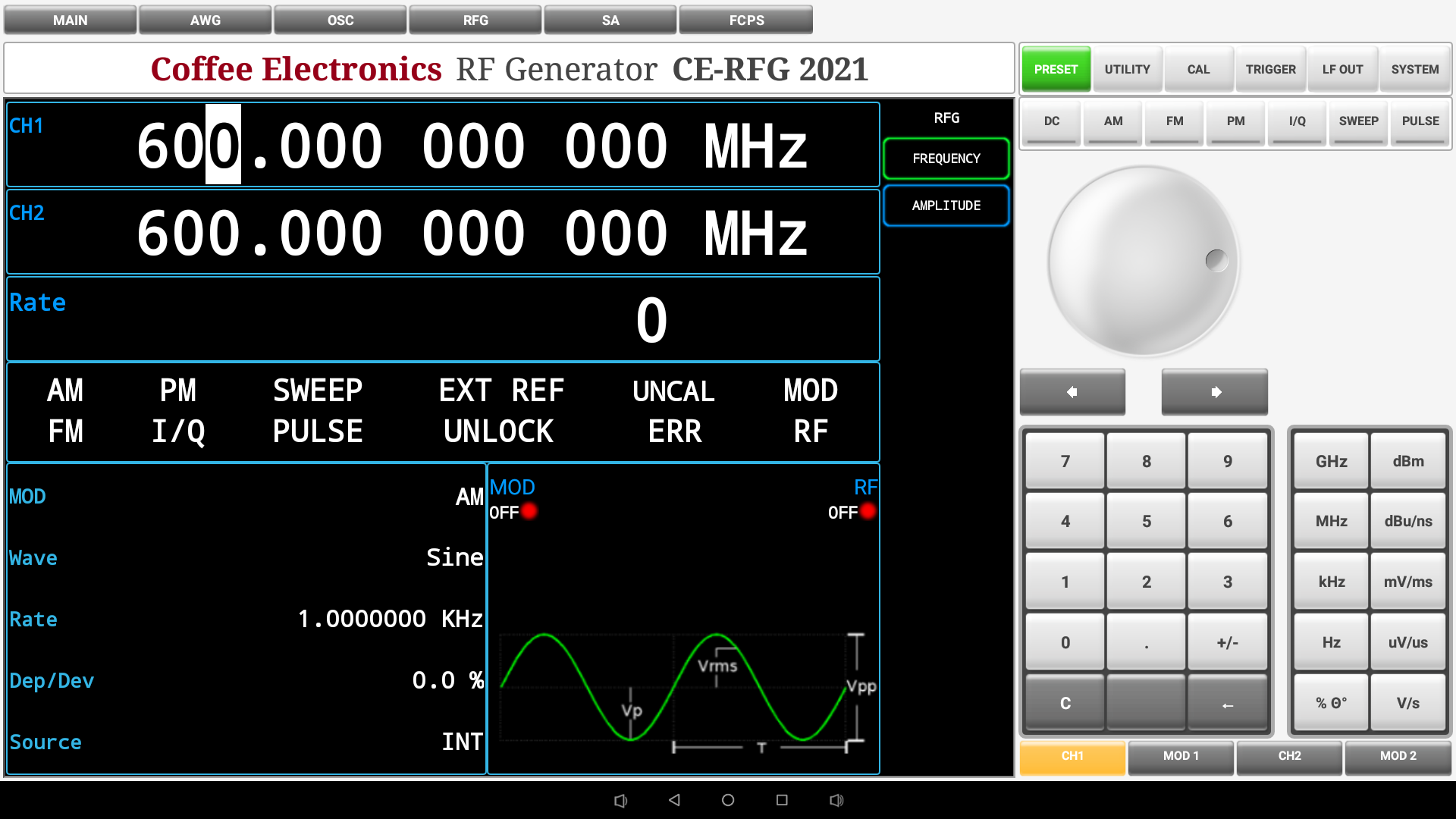
Radio Frequency Generator Control Panel Overview

System Panel
| System Panel | Button | Function | Button | Function |
|---|---|---|---|---|
 |
 |
Resets the Radio Frequency Generator to their default values |  |
some text here |
 |
some text here |  |
some text here | |
 |
some text here |
Modulation and Sweep Panel
| Modulation and sweep panel | Button | Function | Button | Function |
|---|---|---|---|---|
 |
 |
Enables the DC modulation output. |  |
Enables the amplitude modulation output. |
 |
Enables the frequency modulation output. |
 |
Enables the phase modulation output. | |
 |
Enables the I/Q modulation output. |  |
Activates the frequency or amplitude sweep mode. |
Universal Knob and Arrows
| Universal Knob and Arrows | Button | Function | Button | Function |
|---|---|---|---|---|
 |
 |
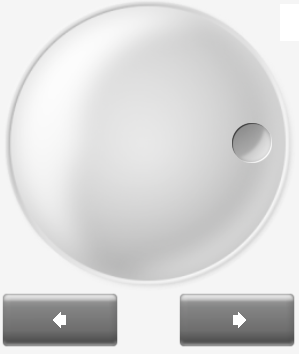
Increase or decrease any active numeric value on screen. |  |
Both have the same function than the universal knob, Increase or decrease any active numeric value on screen. |
Numeric Keypad
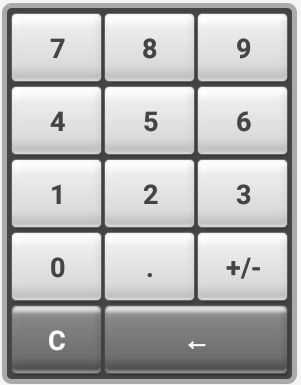 |
Enter the numerical value in the active configuration parameter on the screen. | |||
Units Keypad
| Units Keypad | Button | Function | Button | Function |
|---|---|---|---|---|
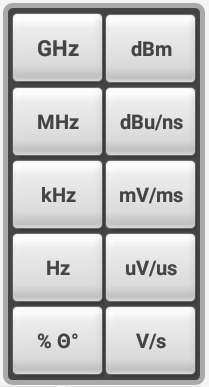 |
 |
Gives the unit of Gigahertz to the entered numeric value. |  |
Returns the decibel-millivolt unit to the entered numeric value. |
 |
Gives the unit of megahertz to the entered numeric value. (Only if the parameter is frequency). |  |
Sets a decibel-microvolt unit if the active parameter receives amplitude values or nano-seconds unit if the active parameter corresponds to unit of time. | |
 |
Gives the unit of kilohertz to the entered numeric value. (Only if the parameter is frequency). |  |
Sets a unit of millivolts if the active parameter receives voltage values or unit of milliseconds if the active parameter corresponds to unit of time. | |
 |
Gives the unit of Hertz to the entered numeric value. (Only if the parameter is frequency). |  |
Sets a unit of microvolts if the active parameter receives voltage values or unit of microseconds if the active parameter corresponds to unit of time. | |
 |
Place as a percentage unit if the active parameter is in percentage, or degrees if the active parameter is expressed in degrees. |  |
Sets a unit of Volts if the active parameter receives voltage values or unit of seconds if the active parameter corresponds to unit of time. |
Channel Buttons
| Channel Buttons | Button | Function | Button | Function |
|---|---|---|---|---|
 |
 |
Turns on, off and / or selects channel 1 output. |  |
Enables the modulation output mode in the channel 1. |
 |
Turns on, off and / or selects channel 2 output. |  |
Enables the modulation output mode in the channel 2. |
 |
|
Radio Frequency Generator Functions
To Set Channels
Press  or to
activate the output on the specified channel or to change the selected channel to edit output parameters. When the button is
fully colored , it means that the output for that channel is activated and the channel is selected for editing
its parameters from the interface, when the button only has a colored stripe below
or to
activate the output on the specified channel or to change the selected channel to edit output parameters. When the button is
fully colored , it means that the output for that channel is activated and the channel is selected for editing
its parameters from the interface, when the button only has a colored stripe below  , it
means that the output for that channel is activated, but it is not the channel selected for parameter editing at that
moment, when the button is completely gray , it means that the output for that channel is off and it is not
selected for parameter editing either.
, it
means that the output for that channel is activated, but it is not the channel selected for parameter editing at that
moment, when the button is completely gray , it means that the output for that channel is off and it is not
selected for parameter editing either.
 |
|
Press  on the RF Generator menu, the edit parameter for the
selected channel in that moment, will change to the frequency parameter, which can be edited with the numeric keyboard and
the units keyboard, the digit to be edited can be changed thought the arrows below the knob, with the knob it is also
possible to change the selected digit in steps of one.
on the RF Generator menu, the edit parameter for the
selected channel in that moment, will change to the frequency parameter, which can be edited with the numeric keyboard and
the units keyboard, the digit to be edited can be changed thought the arrows below the knob, with the knob it is also
possible to change the selected digit in steps of one.
 |
|
Press  on the RF Generator menu, the edit parameter for the
selected channel in that moment, will change to the amplitude parameter, which can be edited with the numeric keyboard and
the units keyboard, the digit to be edited can be changed thought the arrows below the knob, with the knob it is also
possible to change the selected digit in steps of one.
on the RF Generator menu, the edit parameter for the
selected channel in that moment, will change to the amplitude parameter, which can be edited with the numeric keyboard and
the units keyboard, the digit to be edited can be changed thought the arrows below the knob, with the knob it is also
possible to change the selected digit in steps of one.
To Set Modulation
To activate modulation on channel 1 press the button ,
on the buttons at the bottom of the control panel. To activate modulation on channel 2 press at
same section.